
Every feature · 37 of them · all free
Seriously, it's a powerhouse.
Everything Grayson needed to make his own gigs easier, built in and free.
No premium tier. No bullshit.
Each group shows the screen; each line links to the wiki page that explains it.
How it works
Three things. That's the whole app.
1 · Before the gig
Put in what you play.
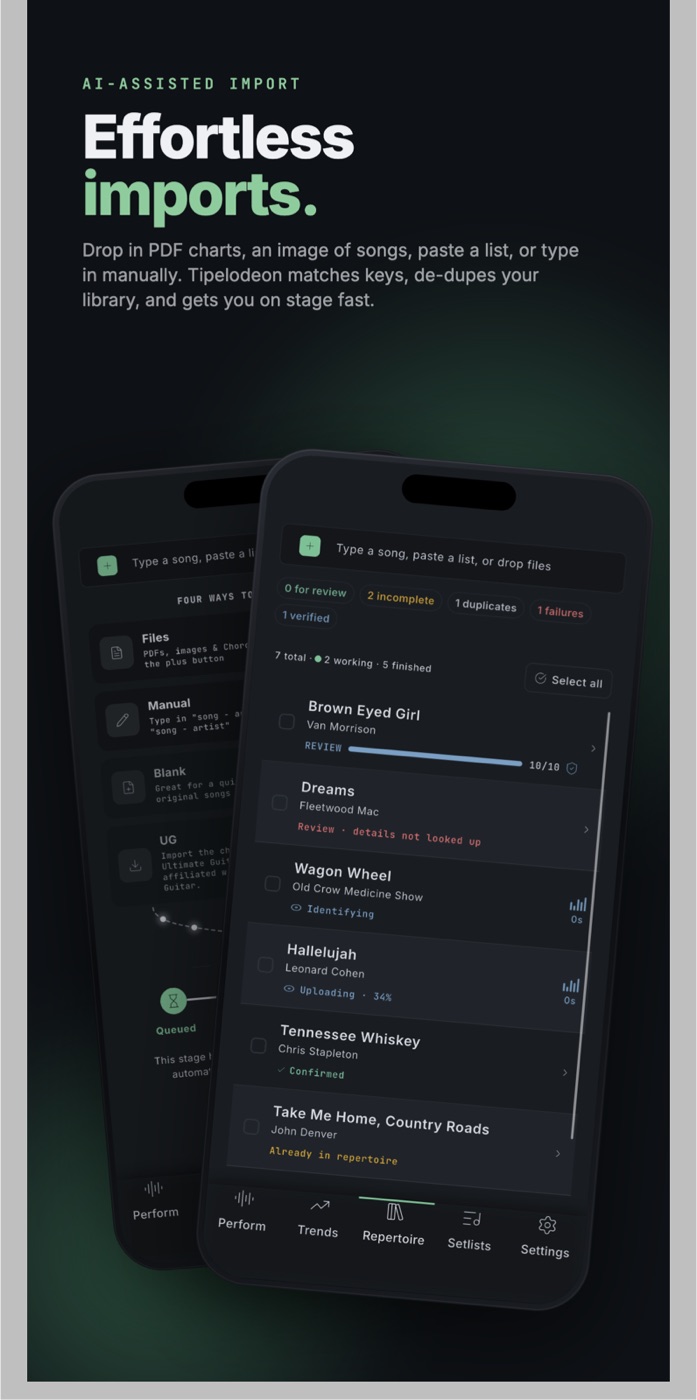
Drop in your charts, PDFs, or photos, paste a list, or type. The app names the songs and fills in key, tempo and the rest. Set your minimum tip, once or per song. Print the QR code.
2 · At the gig
They scan, browse, request, tip.
No app, no account. The audience opens your page in their browser, finds the song, picks an amount, adds a note and pays with Apple Pay, Google Pay, or a card.
3 · On stage
You see the queue. You decide.
Requests land on every screen you own, bigger tips first, with the chart a tap away in your key. Every request is a suggestion. The tip is yours either way, and it clears in two business days.
Make more tips.
Every feature
And then there's the rest of it.
Getting started
- IntroductionWhat Tipelodeon is, who it's for, and how the wiki is organized.
- Accounts and sign-inCreate an account, sign in, reset a password, delete an account.
- Projects and bandsOne project per act. Invite band members, switch projects, manage settings.
- Finding your wayThe five tabs, the request queue strip, the guided tour, banners.
Repertoire
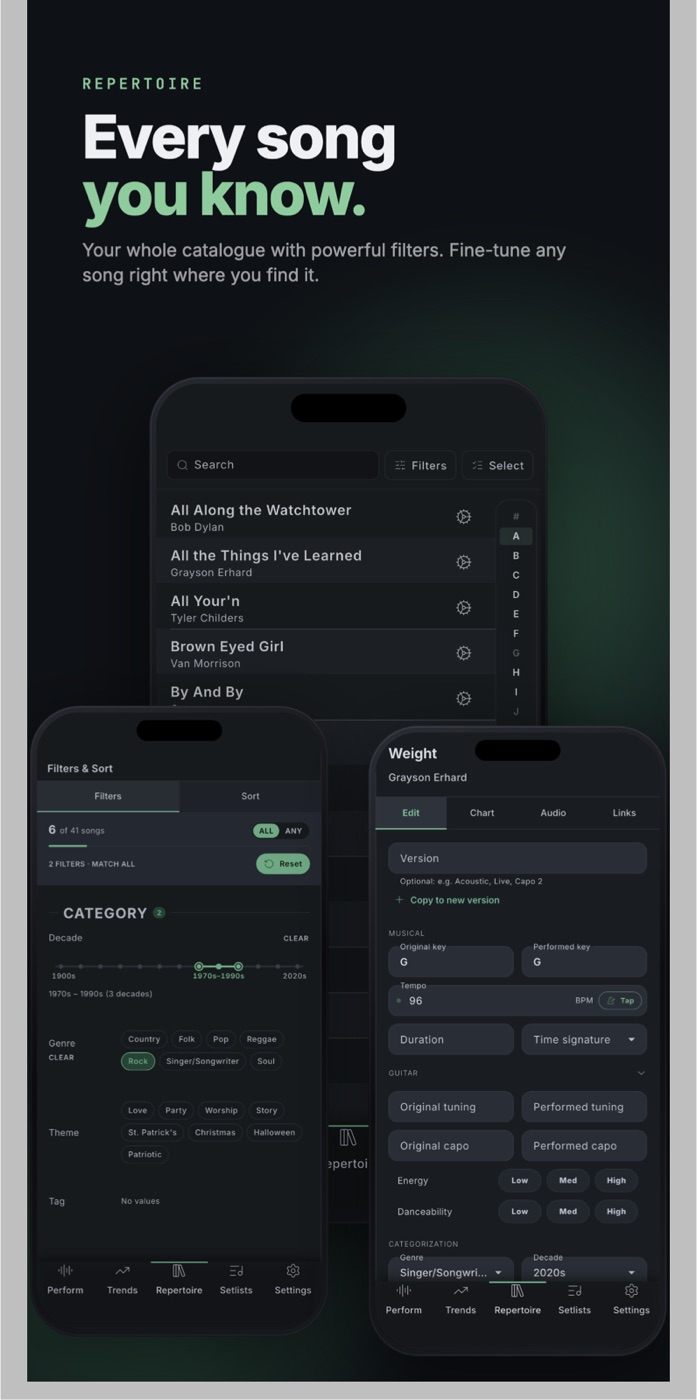
- RepertoireYour song list: browse, search, sort, select, copy, export.
- Song detailsKey, tempo, capo, tuning, notes, links, and other facts per song.
- Importing songsType them, paste a list, drop PDFs or photos of charts, or share a file in from any other app.
- Tags and filtersLabel songs with project tags, then narrow and sort with search and filters.
Charts
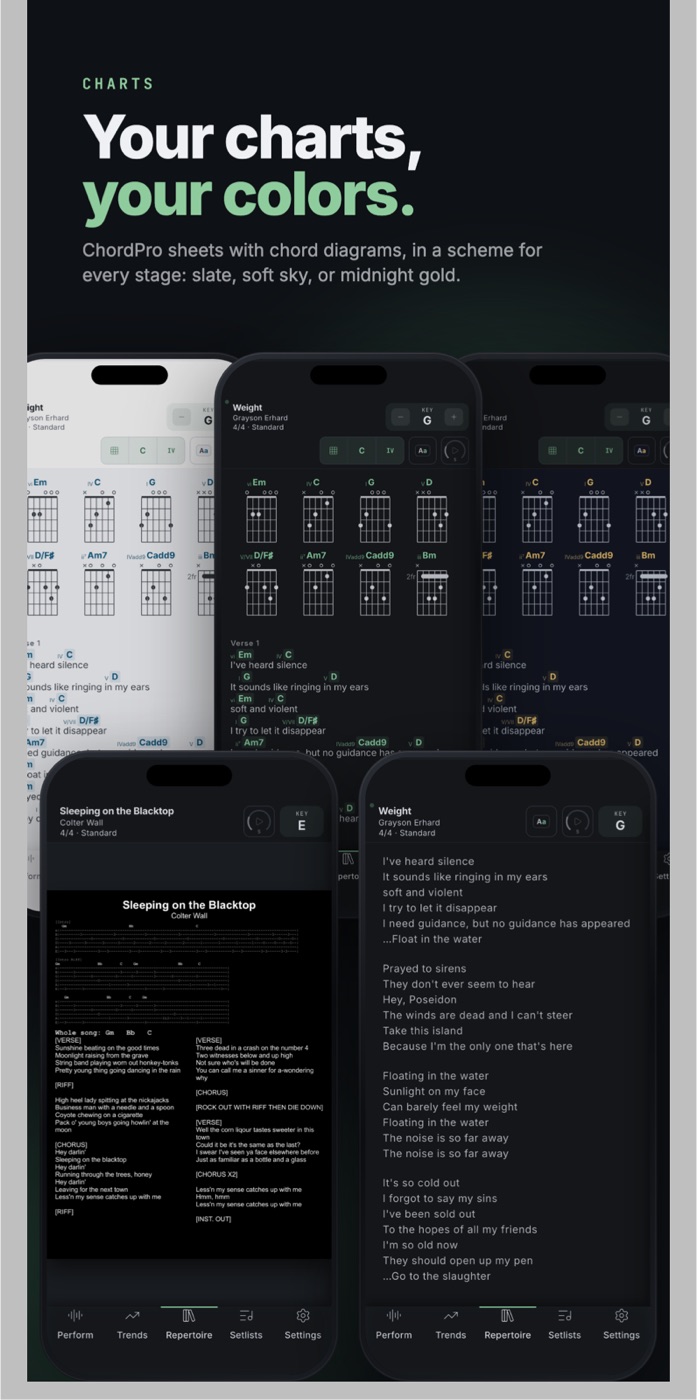
- ChartsAttach a PDF, a photo, or a blank page to a song and read it on stage with zoom gestures that remember your preferences.
- ChordPro sheetsTyped lead sheets and lyrics that transpose, show chords or numbers, and scroll hands-free.
- AnnotationsInk, text, shapes, and music symbols, saved to your copy of the page.
- Page turningTurn pages, jump songs, and run auto-scroll with a Bluetooth pedal or keyboard.
- Chord finder and toolsA reference piano, a guitar chord finder that names shapes, cyclable chord diagrams.
- Audio and practiceAttach reference recordings, then loop, slow down, and play them through a setlist.
Setlists
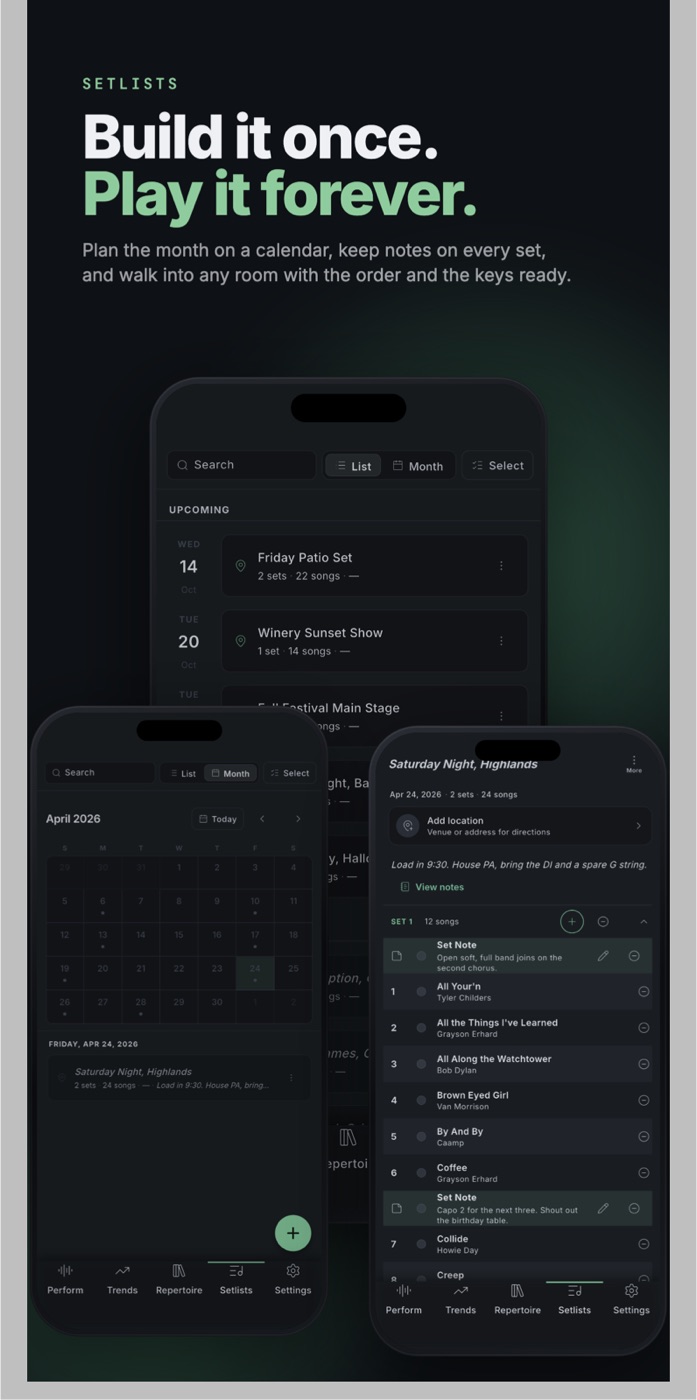
- SetlistsPlan sets, arrange songs, add notes, a place and a date, then export or play.
- Smart setlistsBuild a set from a description or pasted show notes, or turn a photo or PDF of a setlist into songs.
- Sharing setlistsSend anyone a read-only link and preview what they see.
Performing
- Perform screenStart a gig, play songs from a chart or setlist, mark them played.
- Performance sessionsHow gigs start, stop, reopen and end on their own; one per project at a time.
- Scheduling gigsPlan gigs ahead with automatic start and end times; share them on a public Gigs page and calendar feed.
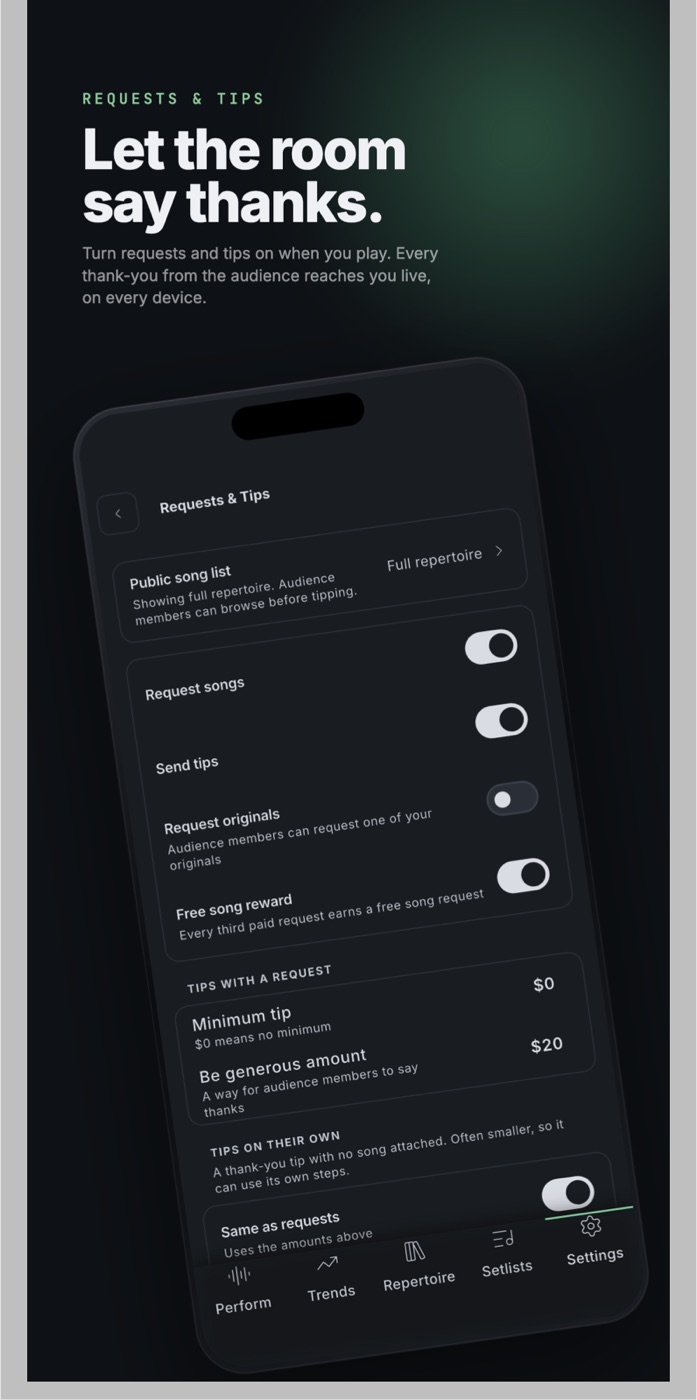
- Song requestsHow requests reach you, the queue strip, artist requests, notifications, the free-song reward.
- LocationsVenues the app finds for you, attached to gigs and setlists, with per-venue stats.
Audience and tips
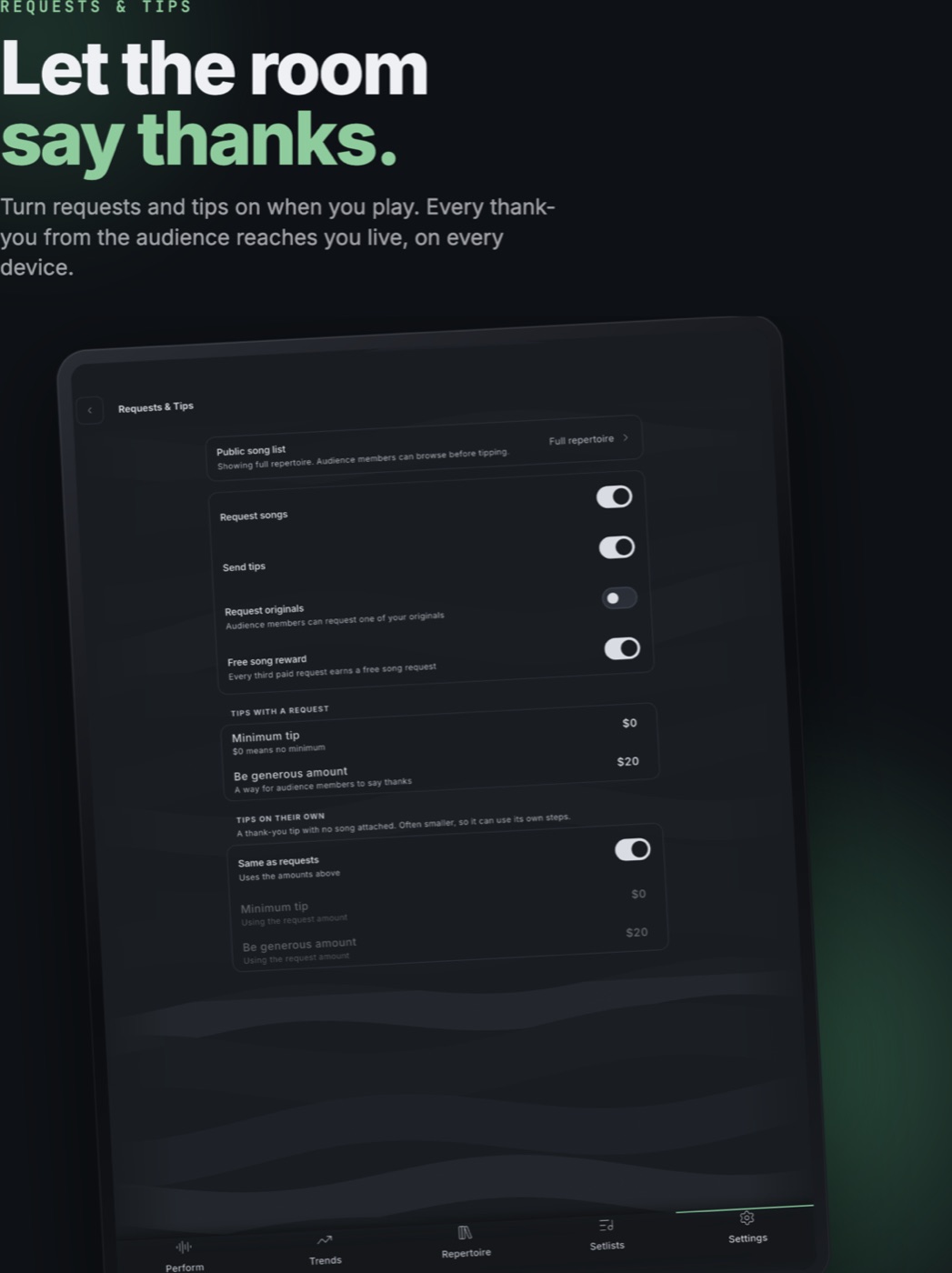
- Audience pageThe public page behind your QR code: browse, request, tip. Your controls over it.
- TipsHow audiences tip, the tip tiers they see, and how you set the amounts.
- Cash tipsLog the cash from the bucket against a gig so totals show everything.
- Embedding your repertoirePut your song list on your own website with a copy-paste snippet, light or dark.
- Blocked audienceStop a disruptive audience member from sending requests; review or undo under Support.
Money
Insights
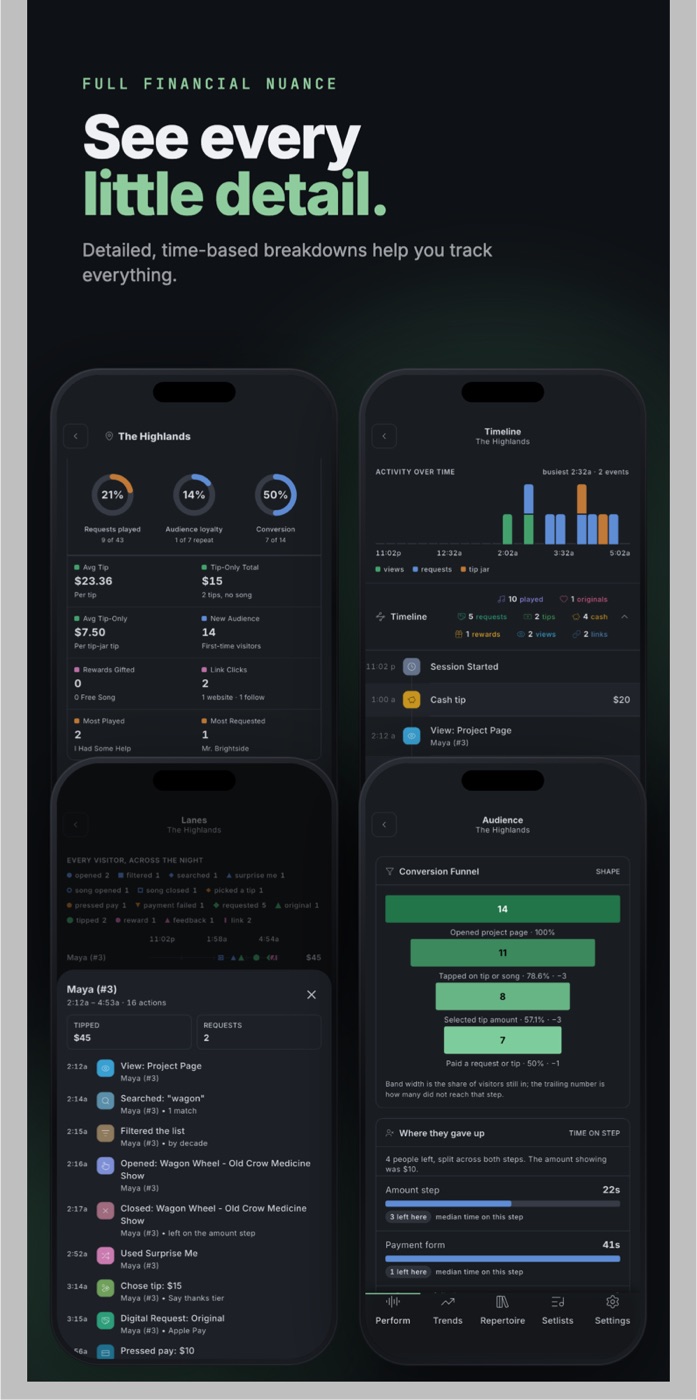
- Gig historyPast gigs with earnings, songs played, attendance, notes, an AI recap, and a PDF.
- Project statsEarnings, audience behavior, top songs, and venues for any date range.
- TrendsWhat audiences across Tipelodeon are requesting and tipping on; add a song to your repertoire or a setlist.
Account and app
- Account settingsProfile, phone number, password, delete account.
- Device settingsPer-device theme, Bluetooth pedal, and offline cache.
- Offline and syncWorks without a connection; changes sync across devices.
- App updatesPhones update through the App Store and Google Play; desktop builds update themselves.
- SupportThe Support page: wiki, blocked audience, copyright notices, licenses, feedback, tutorials.
Runs on
iPhone, iPad, and Android, plus Mac, Windows, and Linux on the desktop. Your audience needs none of it: their phone's browser is enough.